Stats: 47 members, 183 Topics. Date: February 4, 2026, 1:49 am
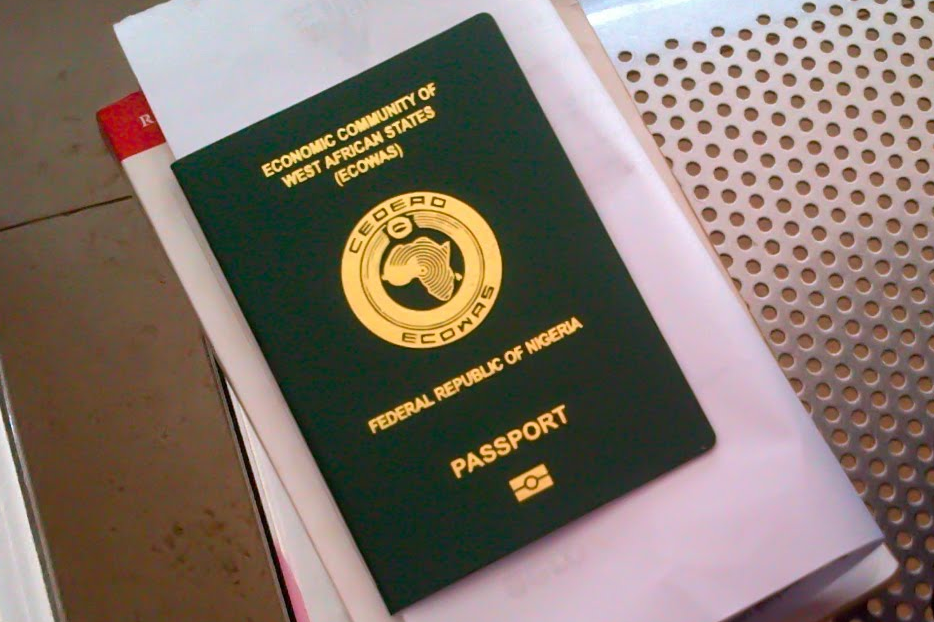
How To Renew Your Nigerian Passport Contactlessly In The UK (2026 Step-by-Step Guide)
JapaForum / Living Abroad / Life in the UK / How To Renew Your Nigerian Passport Contactlessly In The UK (2026 Step-by-Step Guide) 409 Views
(Go Down)


 (m):
3:44am on January 19
(m):
3:44am on January 19
This guide explains how the process works, who it is for, the required fees, timelines, and important tips to help applicants avoid common delays.
What Is Contactless Passport Renewal?
#ContactlessPassport renewal allows eligible Nigerians abroad to complete their passport application, payment, and biometric capture remotely using the official #NIS online portal and mobile application.
This system is particularly beneficial for Nigerians in the UK who want to avoid long queues, travel costs, and appointment delays at the Nigerian High Commission in London.
Who Is Eligible for Contactless Passport Renewal?
You may use the contactless renewal option if:
• You are a Nigerian citizen residing in the UK
• You are renewing an existing #passport (not a first-time application)
• Your #NIN is valid and matches your passport details
• You have access to an Android smartphone for biometric capture
First-time applicants and some special cases may still require physical enrolment.
Step-by-Step Guide to Renewing Your Nigerian Passport in the UK
Step 1: Complete Your Application on the NIS Website
Visit the official Nigerian Immigration Service portal: www.passportintl.immigration.gov.ng
• Fill in the passport renewal form accurately
• Upload required supporting documents
• Select “Contactless Biometrics” during the application
• Make the required online payment
• After submission, you will receive:
• An Application Number
• A Reference Number
These details are required throughout the process and should be safely stored.
Step 2: Download the NIS Mobile App and Capture Biometrics
Go to the Google Play Store or Apple Store and download the official NIS Mobile App (white background with the Nigerian coat of arms).
• Create an account on the app
• Log in using your Application Number and Reference Number
• Complete biometric capture:
• Facial scan
• Fingerprint scan
Important Notes on Biometrics
• The biometric feature currently works on Android devices smoothly than Apple phones
• Applicants using iPhones are advised to borrow or temporarily use an Android phone
Ensure:
• Good lighting
• A steady phone position
• Clear fingers during fingerprint capture
• If the app fails, reinstall and try again
• For best results, wait until biometrics show 100% completion
Step 3: Complete Payment and Print Documents
Once biometric capture is successful:
• Complete any outstanding payment via the app
• Print:
• Application confirmation page
• Payment receipt
Passport Renewal Fees (Important)
In addition to the standard passport renewal fee, applicants should note:
• A mandatory USD $100 contactless processing fee applies
• This fee is separate from the passport renewal cost
Step 4: Send Documents to the Nigerian High Commission (London)
Prepare the following items:
• Your old Nigerian passport
• Printed application form
• Printed payment receipt
• A £20 postal order
• A self-addressed Royal Mail Special Delivery envelope
Send all documents to:
The Nigerian High Commission
9 Northumberland Avenue
London WC2N 5BX
United Kingdom
How Long Does It Take?
• Average processing time: 2–3 weeks
• Timelines may vary based on volume and verification checks
• Applicants are advised to retain their Application ID and Reference Number until the new passport is delivered
Common Reasons for Delays
• #NIN details not matching passport records
• Incomplete #biometric capture
• Incorrect documents sent by post
• Failure to include the £20 postal order or return envelope
Why Android Phones Are Strongly Recommended
At the moment, contactless biometric capture is not efficient on iOS devices.
Using an Android phone with a good camera and fingerprint sensor significantly improves success rates during biometric enrolment.
Final Notes for Nigerians in the UK
The contactless passport renewal system represents a major improvement for Nigerians in the diaspora, offering convenience, time savings, and reduced stress. However, careful attention to details—especially biometrics, NIN accuracy, and document submission—is essential for a smooth experience.
 0 Like
40 guests viewing this topic



JapaForum is owned and managed by Semasa Opeoluwa(semasir)
(Read JF Rules)
- Advertise With Us
- Copyright © 2026. All rights reserved.
Disclaimer: Every JapaForum member is solely responsible for anything
that he/she posts or uploads on .
For enquiries & feedbacks send email to: japaforumng@gmail.com